


32.8 ft Smart 2835 RGB LED Strip Lights, 24-Key Remote & App Control, Timer Schedule, Music Sync Color-Changing for Home Decor | DayBetter


Add colorful lighting to your home with 32.8 ft Smart 2835 RGB LED strip lights. Control the lights conveniently with the DayBetter app or included 24-key remote, and enjoy customizable lighting for everyday home decor, parties, and special occasions.
Smart App & Remote Control
Control your LED strip lights from your phone with the DayBetter app, or use the included 24-key remote for convenient control. Easily switch the lights on and off and adjust the lighting to suit your space and mood.
Music Sync for Dynamic Lighting
Open the Music page in the DayBetter app to activate Music Sync. The LED strip lights respond to music and ambient sounds picked up by your phone, creating changing lighting effects that move with the beat.
Timer Schedule
Use the timer function in the app to schedule your LED strip lights. Set a preferred time for the lights to turn on or off, making everyday lighting more convenient.
Strong Adhesive for Easy Installation
The LED strip lights feature double-sided adhesive backing to help keep them securely in place. Apply the strip to a clean, dry, and suitable surface for a more stable installation.
Versatile Home Decor Lighting
Use these color-changing LED strip lights to add vibrant lighting to bedrooms, living rooms, gaming spaces, parties, and other areas where you want to create a more colorful atmosphere.
Smart App Control
Control your LED strip lights conveniently with the DayBetter app. Follow the steps below to get started.
Step 1: Download the DayBetter App
There are two ways to download the app:
-
Scan the QR code with your phone, then select the appropriate download option for Android or iOS.
-
Search for “DayBetter” in the Google Play Store or Apple App Store and download the app.
Step 2: Turn On Bluetooth
Make sure Bluetooth is turned on on your phone.
Step 3: Connect the LED Strip Lights
Open the DayBetter app. The app will automatically detect and connect to the LED strip lights.
Step 4: Start Controlling Your Lights
Tap the On/Off button in the app to turn the LED strip lights on or off and start enjoying smart lighting control.


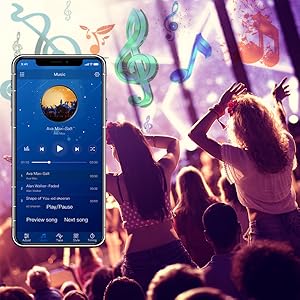
Sync to Music Mode
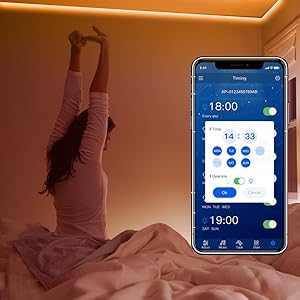
Timing Mode
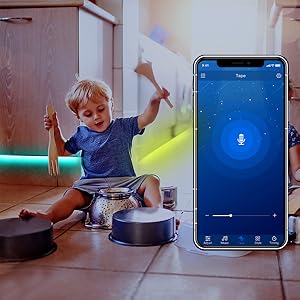
Rhythm Mode